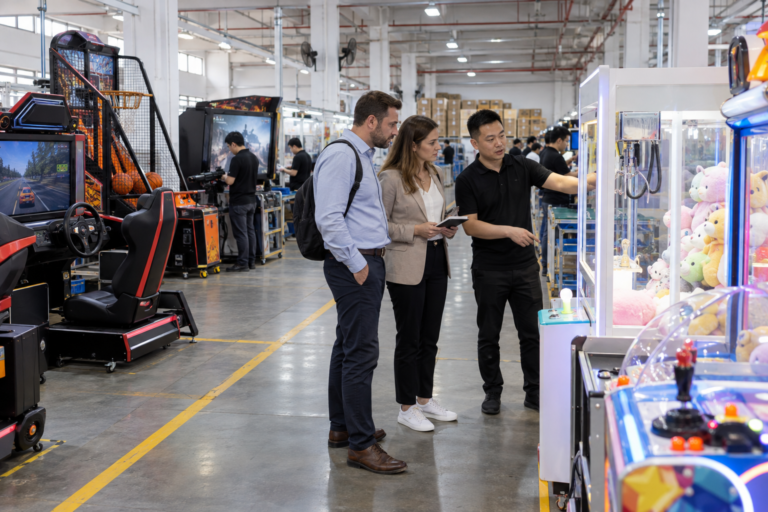
This racing simulator buying guide is designed for arcade operators, distributors and family entertainment center owners who are comparing commercial driving game machines.
Racing games can create competitive and visually engaging experiences for teenagers, adults, families and groups of friends. However, buyers should compare more than cabinet appearance or screen size before placing an order.
A practical racing simulator buying guide should consider player capacity, cabinet dimensions, driving controls, displays, game content, payment systems, electrical requirements, maintenance and international shipping.
Racing Simulator Buying Guide: Start With Venue Requirements
Before selecting a machine, identify the intended installation location and target customers.
A compact shopping mall arcade may require machines with smaller cabinets and efficient floor use. A large family entertainment center may have enough space for multiple linked racing seats and a dedicated simulator zone.
Consider the following questions:
- Who are the main customers?
- What is their typical age range?
- How much floor space is available?
- Will the machine operate independently or with linked units?
- Does the venue already use coins, tokens or cards?
- Is the machine intended for casual family play or competitive racing?
- How many customers should play at the same time?
The answers help buyers compare suitable cabinet types and avoid ordering equipment that is too large, too complex or unsuitable for the intended audience.
Tip 1: Compare Single, Two-Player and Linked Racing Machines
Commercial racing games are available in different player configurations.
A single-player cabinet can fit locations with limited space. It may also allow operators to distribute several different games around the venue.
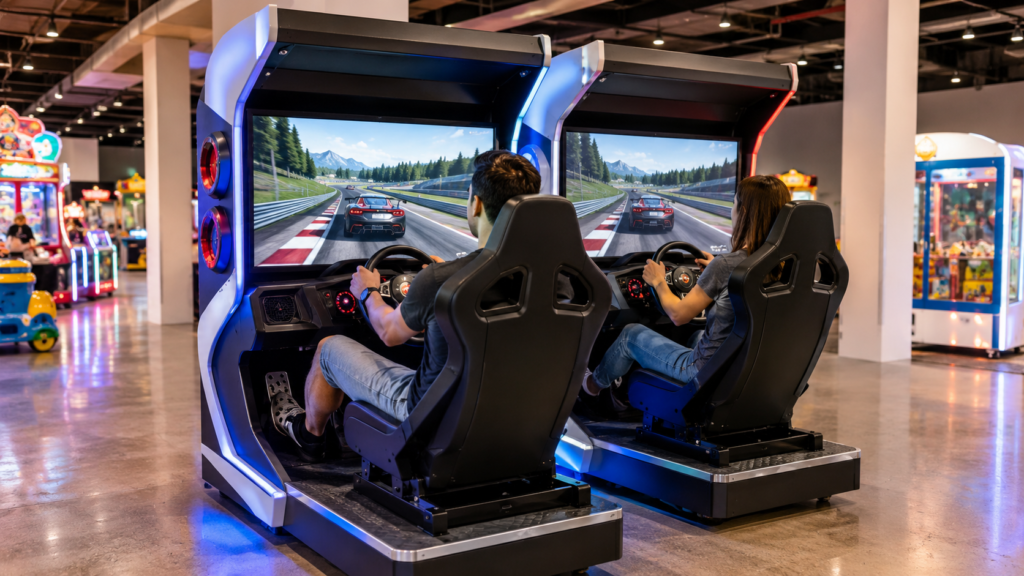
A two-player racing machine places two seats and displays together, creating a clear head-to-head experience. This configuration is suitable for couples, friends and family members who want to compete.
Linked racing machines can connect multiple player stations, depending on the selected model and system. They may create a stronger competitive atmosphere but require additional floor space, power connections and installation planning.
This racing simulator buying guide recommends confirming the maximum supported number of linked units before production. Buyers should also ask whether connecting cables, network components and setup instructions are included.
Tip 2: Measure Cabinet and Playing Space
Racing simulators are generally larger than upright arcade cabinets because they include seats, steering controls and pedals.
Request the complete machine dimensions, including:
- Overall width
- Overall depth
- Overall height
- Seat movement or adjustment area
- Recommended player access space
- Packed dimensions
- Net weight
- Gross weight
Measure the doorway, elevator, corridor and final installation position before ordering. A machine that fits the arcade floor may still be difficult to move through a narrow entrance.
Operators should leave enough space around each cabinet for customers, cleaning and maintenance. Linked machines should be arranged with consistent spacing so the playing area looks organized and professional.
Tip 3: Evaluate the Seat and Cabinet Structure
The seat affects both comfort and cabinet durability. Commercial machines should use a stable structure suitable for repeated daily operation.
Check whether the seat is fixed or adjustable. An adjustable seat may accommodate customers with different heights, but its movement mechanism should be easy to inspect and maintain.
Ask about:
- Seat material
- Seat adjustment range
- Cabinet frame material
- Pedal mounting structure
- Steering wheel mounting
- Access panels
- Floor supports or wheels
- Decorative lighting
- Ventilation openings
The cabinet should provide practical access to internal components without requiring unnecessary disassembly.
Buyers should also check whether the exterior colors and graphics can be customized to match the venue design.
Tip 4: Test Steering, Pedals and Driving Feedback
Driving controls are central to the customer experience. Steering response, pedal operation and seat position should feel consistent and understandable.
Depending on the model, the machine may include:
- Steering wheel
- Accelerator pedal
- Brake pedal
- Gear selector
- Function buttons
- Start button
- Vibration or feedback functions
- Adjustable sound volume
Use this racing simulator buying guide to record the control configuration of each model being compared.
Ask the supplier for a demonstration video showing the machine starting, steering, accelerating, braking and completing a game session. Buyers should confirm which functions are included rather than assuming every racing cabinet has the same feedback system.
After installation, venue staff should test the controls regularly and check for loose parts, unusual sounds or delayed response.
Tip 5: Compare Displays, Sound and Game Content
Screen size is important, but it should be evaluated together with display quality, viewing position and cabinet structure.
A larger screen can create a more immersive appearance, while a well-positioned screen may provide comfortable viewing without requiring an excessively large cabinet.
Confirm:
- Number of displays
- Screen size
- Display resolution
- Screen mounting position
- Audio system
- Volume adjustment
- Available game language
- Game modes
- Multiplayer functions
- Game content configuration
Avoid using unauthorized brand names or copyrighted game titles in product listings unless the required rights and documentation are available. Buyers should confirm the supplied game content and cabinet graphics before ordering.
The selected content should be suitable for the intended customer group and destination market.
Tip 6: Confirm Payment and Management Systems
A racing game machine may support coins, tokens, cards or compatible cashless payment arrangements.
Traditional arcade venues may prefer token acceptors, while larger entertainment centers may use a unified card management system across multiple machines.
Before production, confirm:
- Coin or token specifications
- Local currency compatibility
- Card reader compatibility
- Credit price settings
- Free-play mode
- Ticket or point functions, if available
- Cashless payment options
- Required management hardware
Payment components should be confirmed in the quotation. International buyers should not assume that a standard coin acceptor will automatically support their local currency.
If the venue already uses a card system, provide the relevant technical requirements to the machine supplier before ordering.
Tip 7: Verify Electrical and Maintenance Requirements
A complete racing simulator buying guide should include electrical specifications and spare-parts planning.
Operators can also review attractions industry resources from IAAPA when planning venue safety, maintenance and staff training.
Confirm the machine’s:
- Operating voltage
- Frequency
- Rated power
- Plug type
- Power cable requirements
- Internal power supply
- Cooling and ventilation needs
- Installation requirements
International buyers may require 110V or 220V operation and a specific plug type. These details should be written into the final order configuration.
Ask about the availability of commonly required parts, including buttons, steering components, pedals, power supplies, cables, displays, speakers and control boards.
Operating manuals, wiring diagrams, installation videos and remote technical support can help venue staff handle routine maintenance.
Regular inspection should include cleaning, testing controls, checking connectors, confirming ventilation and inspecting seat hardware.
Tip 8: Review Customization, Packaging and Shipping
Different venues may require different cabinet colors, exterior graphics, voltage, language and payment systems.
Confirm which customization options are available and whether they affect production time or cost. If a logo or branded graphic is required, provide clear design files and obtain confirmation before production begins.
This racing simulator buying guide also recommends checking the export packaging method. Racing cabinets may be divided into sections for transportation, depending on the machine design.
Request:
- Packed dimensions
- Gross weight
- Number of packages
- Assembly requirements
- Protective materials
- Wooden case information
- Loading photographs
- Shipping recommendations
International freight depends on cargo size, weight, quantity, destination and delivery terms. Provide the destination city, country and required quantity when requesting a shipping quotation.
Questions to Ask a Racing Machine Supplier
Before confirming an order, ask the supplier:
- Is the machine single-player, two-player or linkable?
- How many units can be connected?
- What are the cabinet and packing dimensions?
- Is the seat adjustable?
- Which steering and pedal functions are included?
- What screen size and resolution are used?
- Which game languages are available?
- Which payment systems are supported?
- Can the voltage and plug be customized?
- Which spare parts are included?
- What is the warranty period?
- Are operating and installation videos available?
- How is the machine packed for export?
- Which shipping options are available?
Keep the confirmed specifications with the quotation and order documents.
Plan a Balanced Arcade Equipment Mix
Racing simulators can be combined with other commercial arcade machines to create a more varied entertainment venue.
Operators may position racing games near shooting machines, sports games or other competitive attractions. Claw machines and redemption games can serve customers who prefer prize-based experiences.
The appropriate equipment mix depends on venue size, customer preferences and operating plans. Buyers developing a complete arcade should share a floor plan and machine quantity with the supplier before confirming the order.
Choose Racing Simulators From LeChuang
LeChuang supplies commercial racing simulators for arcades, family entertainment centers, shopping malls and indoor amusement venues.
Available configurations may include single-player, two-player and linked racing machines. Cabinet appearance, voltage, plug type, language and payment systems can be discussed according to the selected model and destination market.
Use this racing simulator buying guide as a checklist when comparing models and requesting quotations.
Contact LeChuang with your venue size, required quantity, destination country and preferred player configuration. Our team can provide product specifications, current photographs, operating videos, customization information, packing details and international shipping options.